Available on iOS

Import your bank statement. Swipe to categorise.

BudgetSwipe is a budget planner for iPhone that turns your CSV bank statements into a clear spending breakdown — just swipe each transaction into a category and you're done.

From bank statement to budget in three steps

No manual data entry. Just upload, swipe, and see where your money goes.

1
Upload CSV bank statement to budget planner

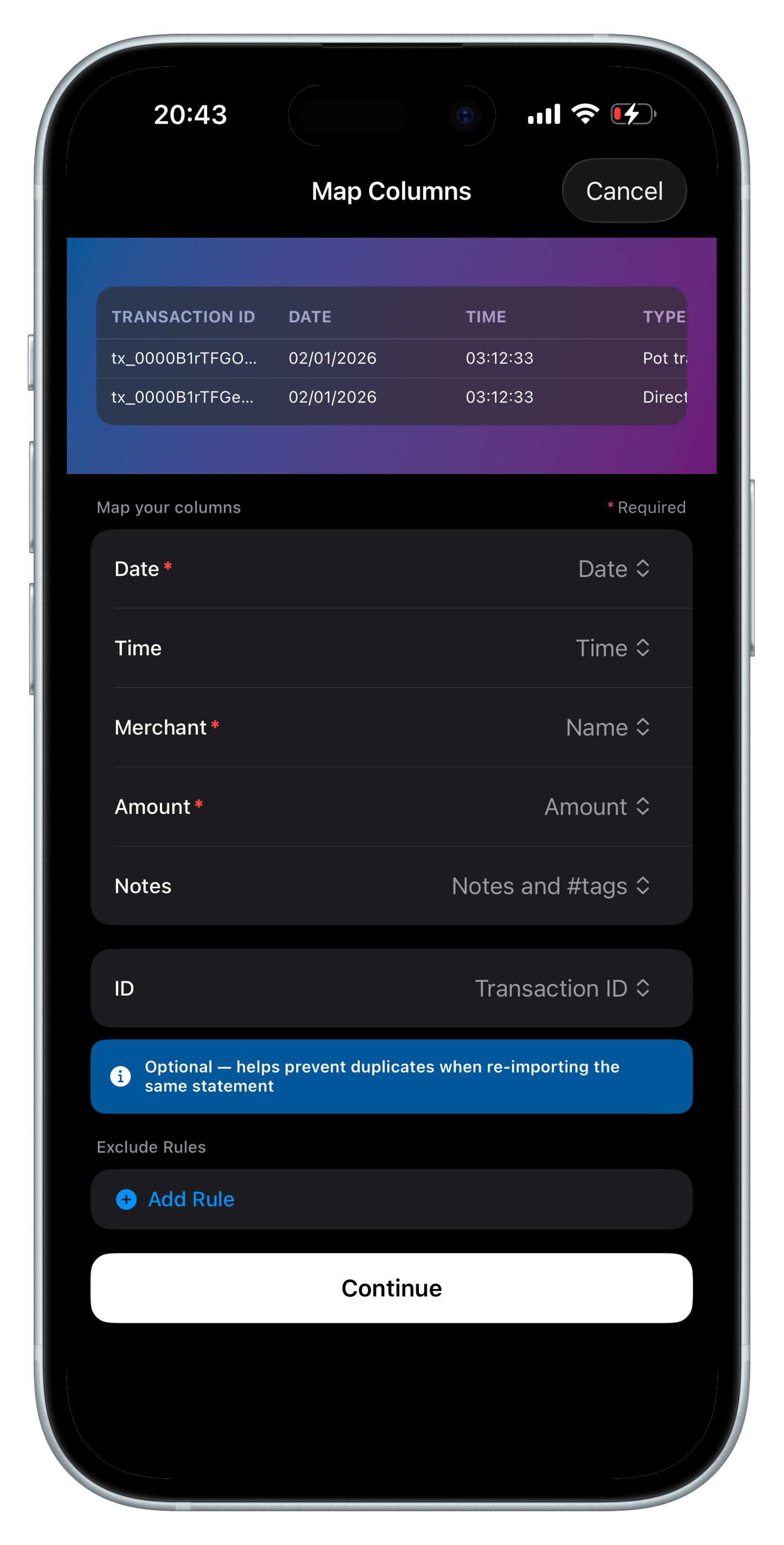
Upload your CSV

Export a CSV from your bank and drop it into BudgetSwipe. Confirm your column mapping and you're ready to go.

2
Swipe to categorise transactions in budget planner

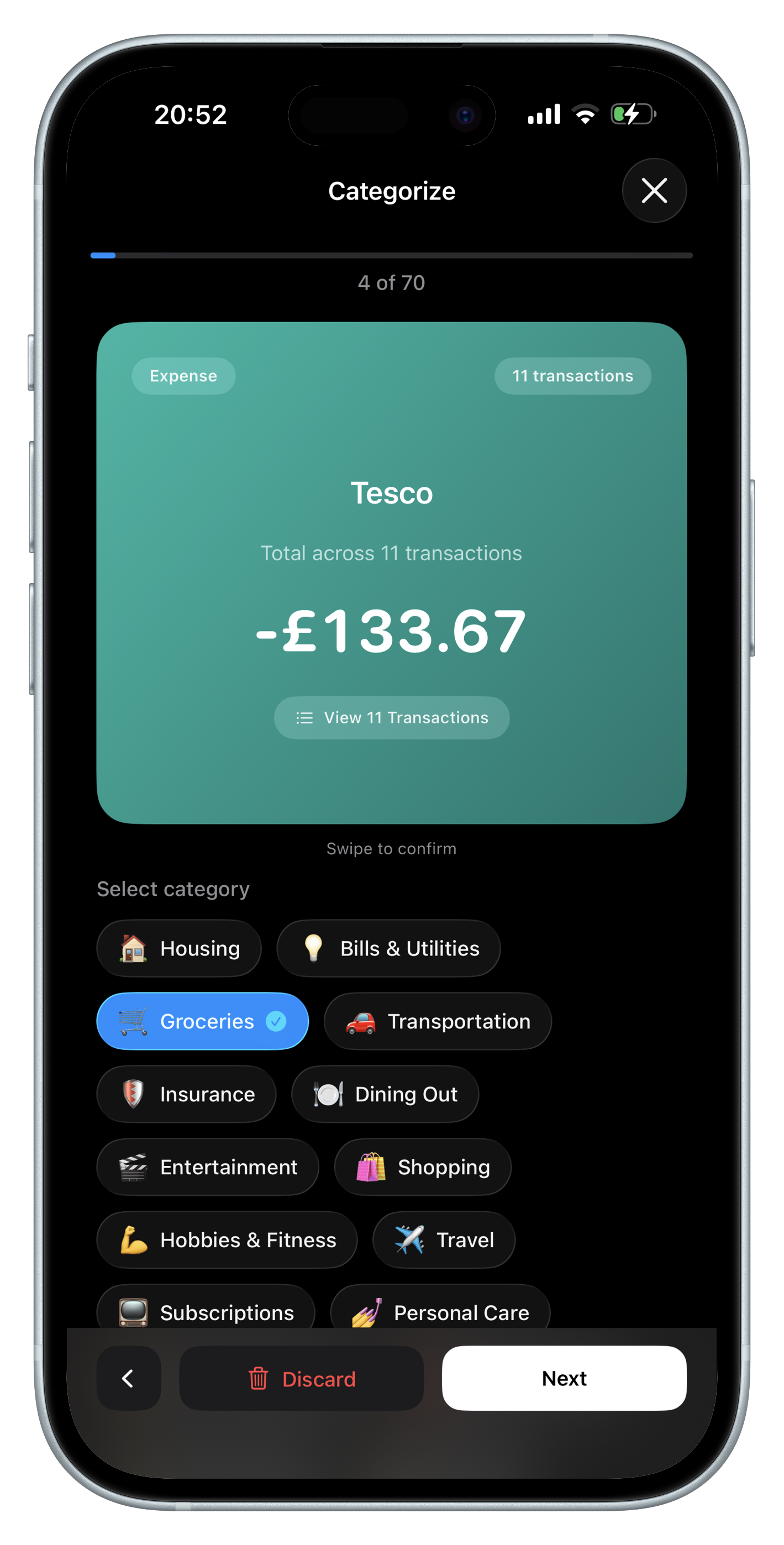
Swipe to categorise

Each transaction appears as a card. Swipe to assign a category — or group by merchant to categorise dozens at once.

3
See spending insights and budget breakdown

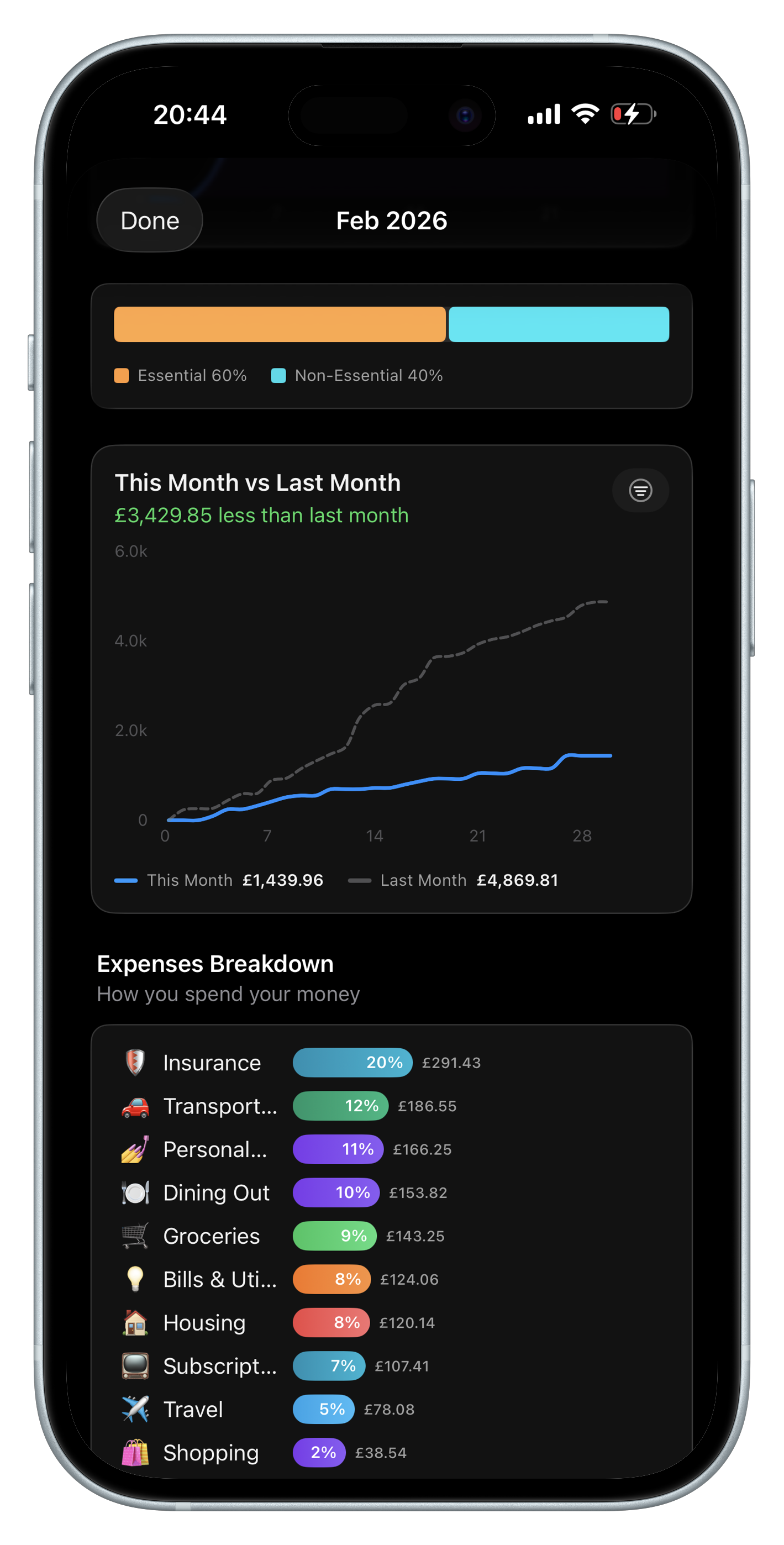
See where your money goes

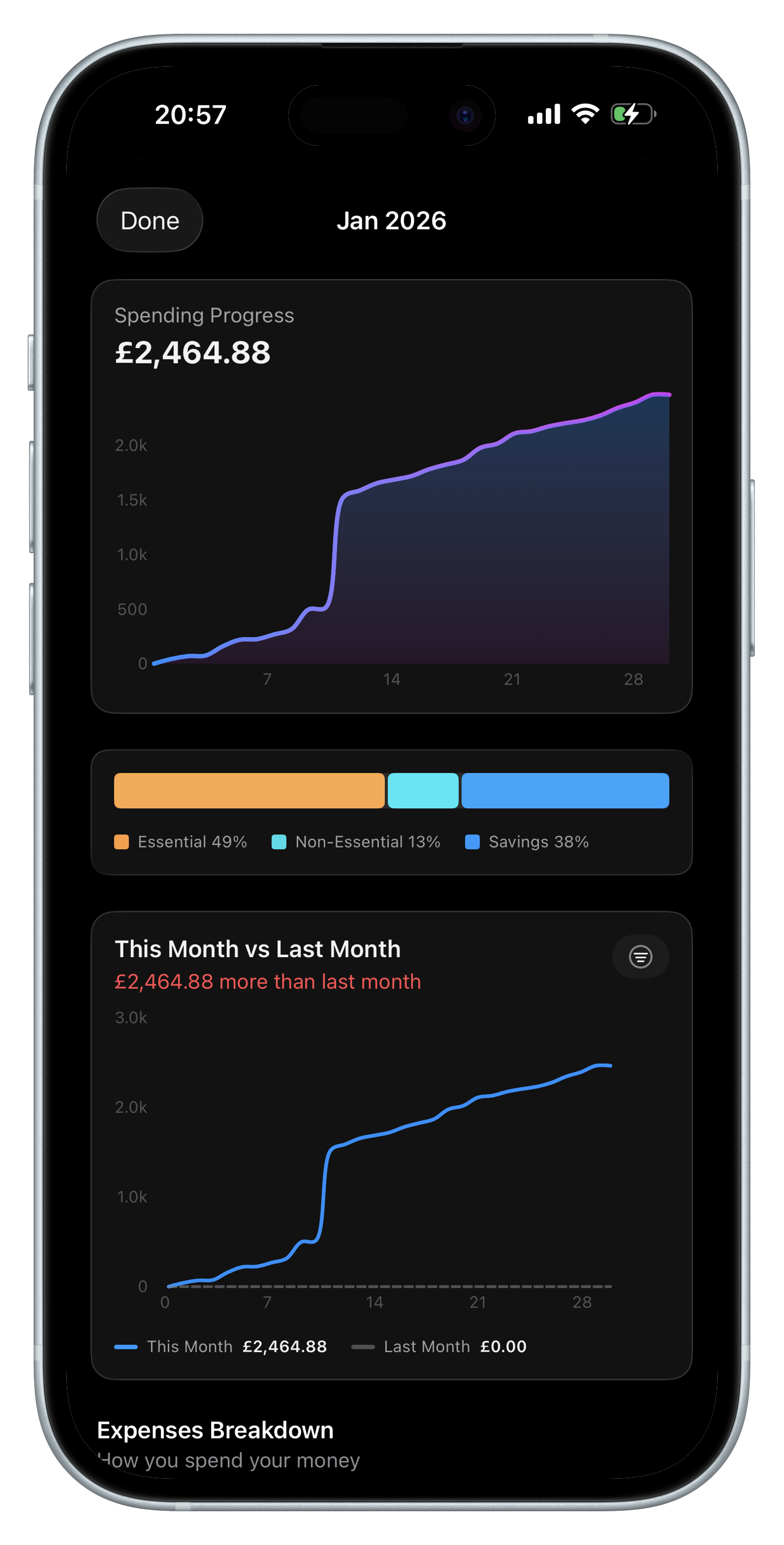
Instantly see your spending split across needs, wants, and savings with charts, breakdowns, and month-to-month trends.
Everything else a budget planner should do

CSV import is just the start. BudgetSwipe has everything you need to plan and track your budget.

📊

Dashboard Overview

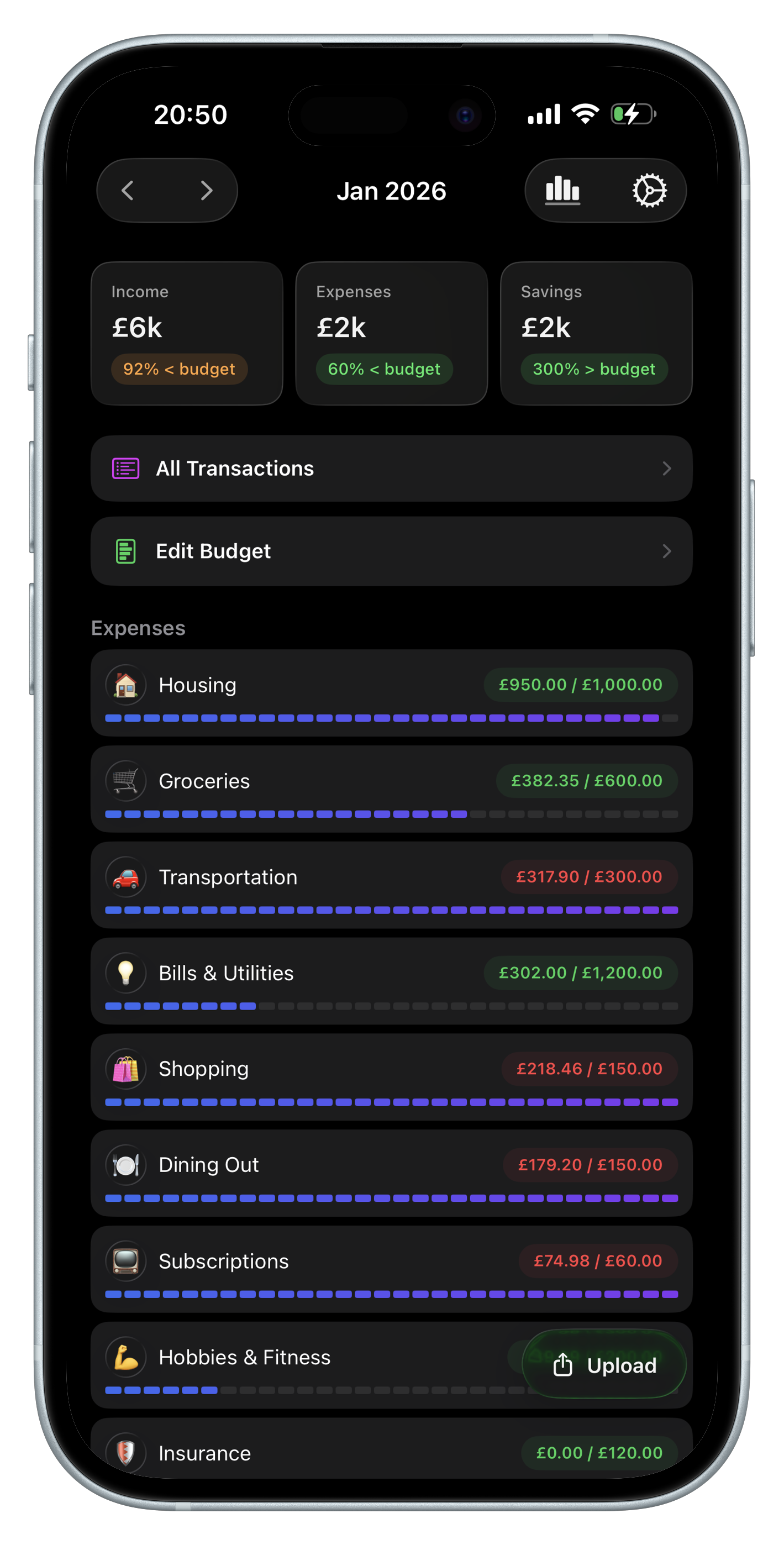
See income, expenses, and savings at a glance with burn-down charts, spending distribution, and category breakdowns.

💰

Budget by Category

Set monthly budgets for needs, wants, and savings. Track progress against each category with visual indicators.

💡

Spending Insights

Explore your spending with interactive charts — cumulative trends, month-to-month comparisons, and top merchants.

📅

Spending Calendar

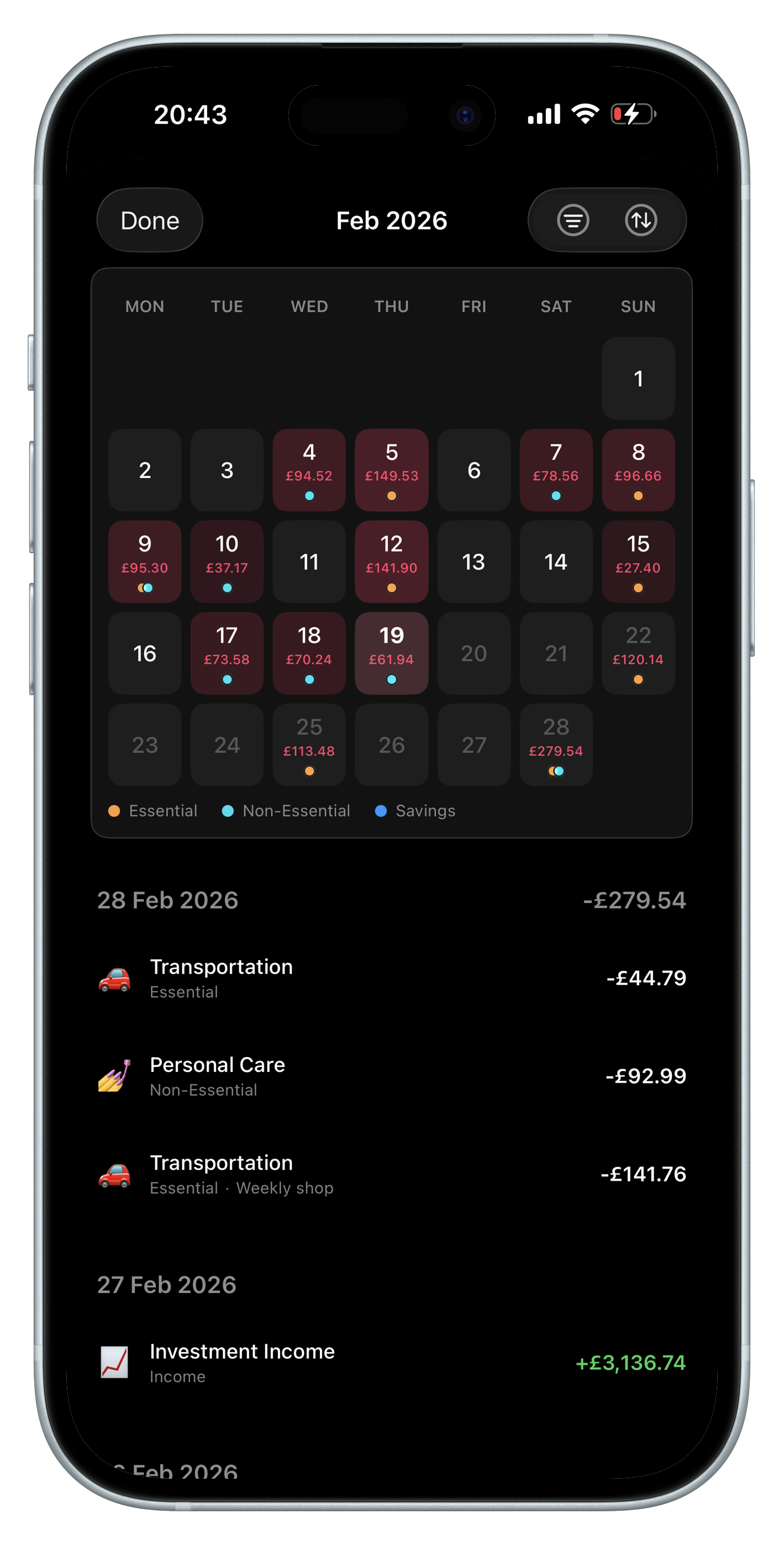
Visualise daily spending on a heatmap calendar. Tap any day to see exactly what you spent and where it went.

🏷️

Custom Categories

Create your own categories with custom emojis. Classify expenses as needs or wants to understand your habits.

⚖️

50/30/20 Budgeting

Organise spending into needs, wants, and savings — the proven 50/30/20 framework. Set budgets and track your progress.

A budget planner designed for simplicity

A clean, intuitive interface that makes planning your budget and tracking spending effortless.

Budget planner overview with spending breakdown
Budget planner spending insights and charts
Budget planner transaction history

Your data stays yours

BudgetSwipe is built with privacy as a core principle. Your financial data is stored locally on your device and never shared with third parties. No account required.

  • All data stored locally on your device
  • Bank statements processed on-device only
  • No account or sign-up required
  • No selling of personal information
  • Minimal analytics for app improvement only
Read Privacy Policy
🔒

Start planning your budget today

Import your bank statement, swipe to categorise, and see exactly where your money goes.

Download on the App Store